

Fanvil IP Phones
KSh 11,500.00 Ex. VAT
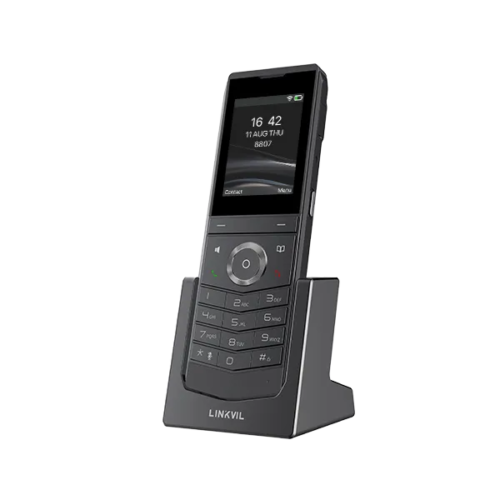
KSh 13,500.00 Ex. VAT
Sale!
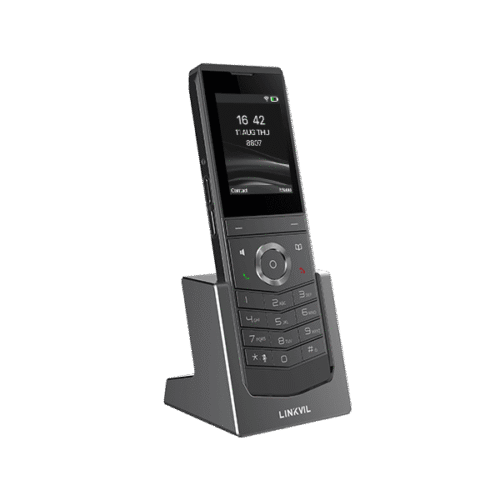
Fanvil IP Phones
Original price was: KSh 20,000.00.KSh 17,000.00Current price is: KSh 17,000.00. Ex. VAT
Fanvil IP Phones
KSh 12,000.00 Ex. VAT
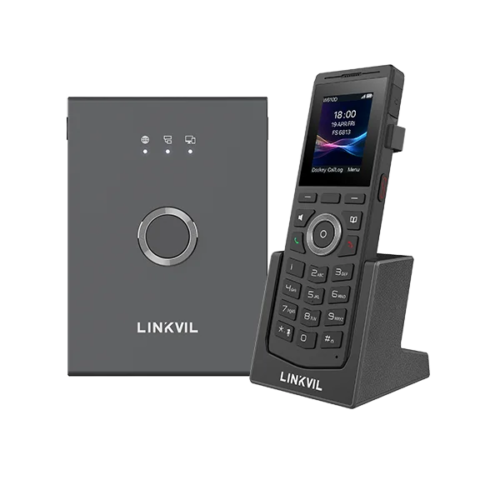
Fanvil IP Phones
KSh 10,000.00 Ex. VAT
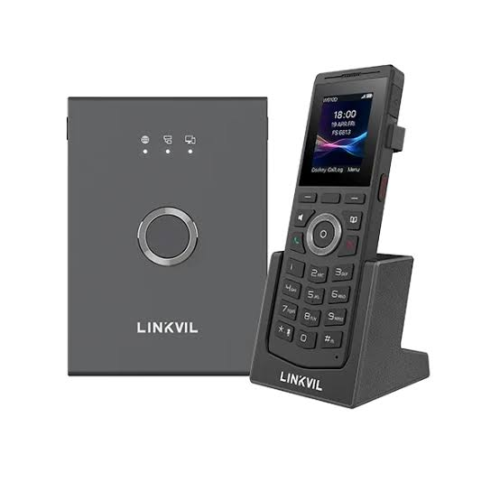
Fanvil IP Phones
KSh 18,500.00 Ex. VAT
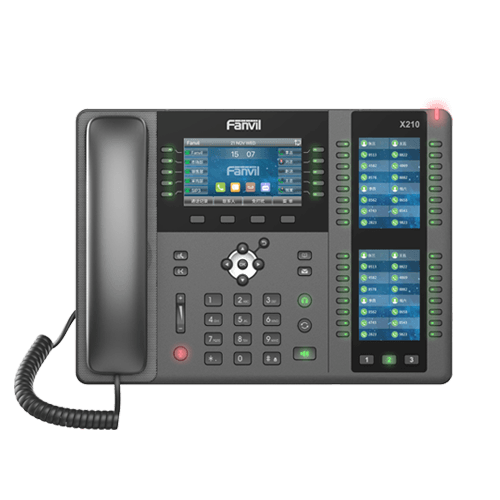
Fanvil IP Phones
KSh 24,500.00 Ex. VAT
Sale!
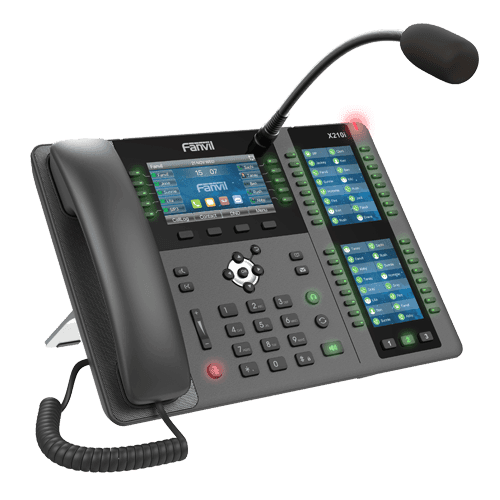
Fanvil IP Phones
Original price was: KSh 52,000.00.KSh 40,000.00Current price is: KSh 40,000.00. Ex. VAT
Sale!
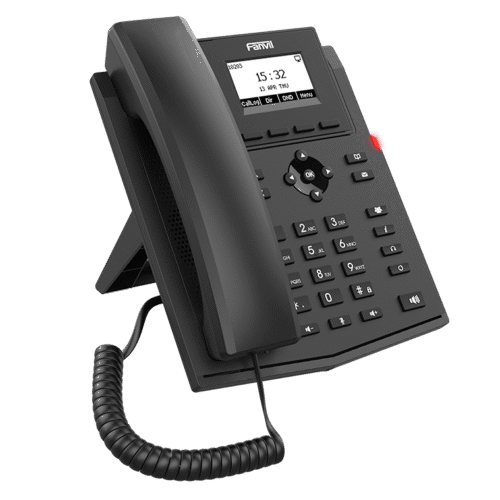
Fanvil IP Phones
Original price was: KSh 7,000.00.KSh 6,000.00Current price is: KSh 6,000.00. Ex. VAT
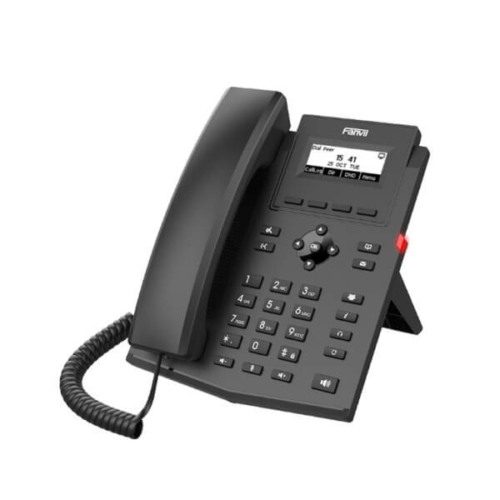
Fanvil IP Phones
KSh 5,000.00 Ex. VAT
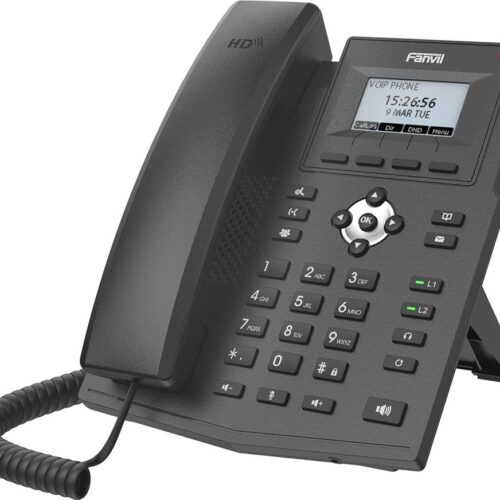
Fanvil IP Phones
KSh 5,500.00 Ex. VAT
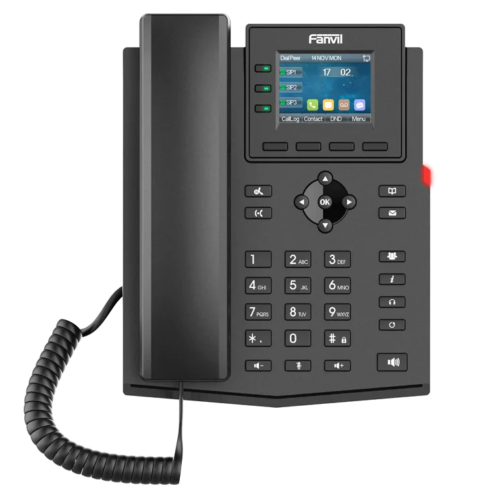
Fanvil IP Phones
KSh 6,500.00 Ex. VAT
An IP PBX (Internet Protocol Private Branch Exchange) is a business telephone system that manages internal extensions and routes calls using IP-based networks. Depending on its configuration, it can support features such as call transfer, ring groups, voicemail, auto-attendants, call queues, call recording and remote extensions. External calls usually require a suitable SIP trunk, analogue telephone line, cellular gateway or another supported connection to a public telephone network.An IP PBX can make internal extension-to-extension calls without per-call telephone charges in many configurations, but the system still has ownership, network, power, support and internet-related costs. External call costs depend on your provider, trunking method, destination and tariff plan.What Is an IP PBX System?
An IP PBX appliance or server manages extensions, inbound calls and outbound calling rules for your business. Depending on the model and licences, features may include auto-attendant menus, ring groups, voicemail, call queues, call recording, call reports and remote-user support. Choose a system based on the number of users and concurrent calls, supported endpoints, trunk requirements, expansion capacity and features your team actually needs. Confirm the manufacturer's capacity specifications for the exact model before purchasing.IP PBX Systems for Small and Medium Businesses
Grandstream UCM-series systems are designed for business unified communications and can combine voice functions with selected collaboration features, depending on the model and software version. When comparing models, check the supported users and concurrent calls, SIP trunk capacity, analogue interfaces if needed, remote access features, security updates and compatibility with your existing phones. Product availability and exact specifications should be confirmed for the particular model.Grandstream IP PBX Systems
Yeastar PBX systems offer business telephony options across different product families and capacities. Depending on the model, they may support IP extensions, analogue or digital interfaces, SIP trunks, mobile applications, call routing and other business features. Check the current product family, model-specific capacity, licensing or subscription requirements, compatible phones and any add-on modules before selecting a system.Yeastar IP PBX Systems
IP phones connect to a compatible IP PBX or hosted VoIP service over a network. They are used at staff desks, reception counters, meeting rooms and customer-service stations. Compare the number of SIP accounts, screen type, programmable keys, headset support, Ethernet speed, Wi-Fi or Bluetooth support, and whether Power over Ethernet (PoE) is available. Confirm compatibility with the PBX or hosted service you intend to use.IP Phones and SIP Desk Phones
Yealink offers SIP desk phones across entry-level, mid-range and executive categories. Features vary by model and can include HD voice, programmable keys, multiple SIP accounts, headset support, Gigabit Ethernet and PoE. Before buying, verify the exact model specification, supported firmware and compatibility with your telephone system.Yealink IP Phones
Grandstream IP phones provide options for general office desks, reception and users who need programmable call-handling keys. Model features can differ in screen type, number of lines, network ports, conferencing support, Wi-Fi and PoE. Check the model number and the PBX provisioning requirements to ensure the phone can be configured for your setup.Grandstream IP Phones
Fanvil offers IP phone models for office, hospitality and selected specialised communication environments. Depending on the product, features may include programmable keys, intercom functions, wall mounting or ruggedised construction. Confirm whether the intended model is designed for your specific use case, and check network, power and PBX compatibility.Fanvil IP Phones and Special-Purpose Phones
Some Cisco and other enterprise telephone models can be used in specific IP telephony environments, but compatibility depends on model, firmware, provisioning method and phone-system platform. Do not assume that every enterprise phone works with every PBX or hosted VoIP provider. Confirm support, firmware availability, licensing and any configuration requirements before ordering.Cisco and Other SIP-Compatible IP Phones
A GSM gateway connects compatible cellular SIM channels to a telephone system, allowing configured calls to route through mobile networks. Depending on the gateway, channel capacity may range from a small number of SIMs to larger multi-channel deployments. Potential savings depend on current mobile tariffs, SIM terms, destination numbers, call patterns and network coverage. Check supported cellular bands, SIM capacity, concurrent calls, antenna requirements, gateway compatibility and local operator conditions before purchase.VoIP GSM Gateways
Analogue PABX equipment and analogue telephones may be appropriate where a business has existing analogue cabling, compatible devices or a requirement for a straightforward traditional setup. Compare the number of extensions and external lines, available interfaces, expansion options, maintenance needs and whether the system can integrate with any newer IP equipment you plan to use.Analogue PABX Systems and Analogue Phones
Expansion modules and interface cards can add functions or connectivity to compatible PBX systems. FXO interfaces commonly connect to analogue telephone lines, while FXS interfaces provide ports for analogue telephones or fax devices. Reception sidecar modules can add programmable keys for busy call-handling desks. Compatibility is model-specific, so confirm the PBX chassis, card type, firmware and supported port configuration before purchasing.Expansion Modules, FXO/FXS Cards and Accessories
Business IP telephony may also require suitable network switches, headsets, patch cables, power supplies, rack accessories and surge protection. PoE switches can power compatible phones over Ethernet, reducing the need for individual adapters. Check PoE standards and power budget, network speed, VLAN and QoS features, headset connector type and the accessory requirements of each phone model.PoE Switches, Headsets and Telephony Accessories
PBX and IP phone prices in Kenya vary by brand, model, user capacity, concurrent-call capacity, included interfaces, software features, warranty and configuration requirements. The price ranges below are carried over from the supplied draft for planning purposes only; they are not verified live prices or confirmation of stock. Contact Zemaro Tech Store for a current quotation and confirmation of the exact model.PBX and IP Phone Prices in Kenya
| Equipment category | Indicative price range | Typical use |
| Entry-level IP phones | KSh 4,500–6,000 | General staff desks and reception |
| Gigabit or executive IP phones | KSh 11,000–18,500 | Managers and high-call-volume users |
| Small-business IP PBX systems | KSh 30,000–45,000 | Small offices and branch locations; confirm capacity |
| Mid-range IP PBX systems | KSh 60,000–145,000 | Growing offices and multi-department setups; confirm capacity |
| 4-port or 8-port GSM gateways | KSh 28,000–65,000 | Businesses using compatible cellular call routing |
Installation and configuration costs depend on the number of extensions, existing network condition, required call-routing features, cabling, user training, remote access and integration with external telephone services. Small setups may require less configuration than a multi-floor office or call centre with IVR menus, queues, recording and multiple trunk types. The deployment figures in the original draft should be treated as unverified planning estimates, not fixed package prices. Request a written quotation that separates hardware, software or licence fees, configuration, cabling, training, support and taxes.How Much Does PBX Installation Cost?
How to Choose the Right PBX System
The number of employees is not the same as the number of calls that happen simultaneously. Estimate extensions, peak concurrent calls, reception needs and future growth, then confirm the model's rated capacity.1. Count users and concurrent calls
Establish whether you need SIP trunks, analogue lines, a GSM gateway or a combination. Ask your telecom provider about availability, call rates, number portability and any service requirements.2. Identify your external call connections
Decide whether you need an auto-attendant, ring groups, queues, voicemail, call recording, call reports, conference calling, paging or remote extensions. Check whether each feature is included, licensed or dependent on a service subscription.3. List essential call-handling features
Voice traffic depends on stable network connectivity, suitable switching, correct VLAN/QoS configuration where needed, adequate PoE power and reliable internet for internet-based calls. A network assessment can help identify bottlenecks before deployment.4. Check network readiness
Check whether your phones are supported by the PBX, hosted service or provider. Verify SIP compatibility, provisioning, firmware, codecs and any model-specific feature limitations.5. Confirm phone compatibility
Use strong credentials, supported firmware, appropriate firewall rules and secure remote-access methods. Avoid exposing PBX management interfaces directly to the public internet without proper security controls.6. Plan security and remote access
Include hardware, licences, subscriptions, SIMs or trunks, internet, cabling, power backup, maintenance, support and future expansion in the budget.7. Compare the total cost of ownership
A business telephone system needs careful configuration so that extensions, incoming numbers, outbound routes and network settings work as intended. Ask Zemaro Tech Store whether installation and configuration services are available for your selected equipment and location. The final scope depends on your existing infrastructure and required features.PBX Installation and Configuration in Nairobi
- Requirements review: document users, extensions, external lines, peak call volume and required call-handling features.
- Network review: assess switches, PoE power, cabling, internet reliability and network configuration.
- System configuration: set extensions, ring groups, inbound and outbound routes, voicemail and any agreed IVR menus.
- Phone provisioning: configure compatible desk phones and test extension registration.
- Gateway or trunk setup: configure supported SIP trunks, analogue lines or GSM gateway routes as applicable.
- Testing: check inbound and outbound calls, transfer, hold, voicemail, emergency calling procedures and audio quality.
- Training and handover: explain basic use, administration, backup, updates and support arrangements.
Why Businesses Use IP PBX and VoIP Systems
- Centralised extension management across departments or branches.
- Call routing, ring groups and automated greetings to direct callers.
- Support for compatible remote or mobile extensions, subject to configuration and connectivity.
- Potential savings on some internal and external calls, depending on the calling setup and tariffs.
- Flexible expansion when a business adds staff or locations, within the system's supported capacity.
- Integration with selected business applications or collaboration tools where the exact platform supports them.
An analogue PABX typically connects traditional analogue phones and lines through analogue interfaces. An IP PBX routes calls using IP networking and can support SIP phones and other IP endpoints. Some systems support a mix of IP and analogue interfaces.Frequently Asked Questions
What is the difference between an IP PBX and an analogue PABX?
Cost depends on the model, extension and concurrent-call capacity, interfaces, licences, phones and installation. Contact Zemaro Tech Store for a current quote based on your requirements.How much does an IP PBX system cost in Kenya?
The right model depends on the number of users, concurrent calls, external lines and features required. Confirm model-specific capacity and supported interfaces rather than choosing by model name alone.Which IP PBX is suitable for a small office?
Some PBX platforms support mobile or desktop softphone applications. Availability depends on the model, licence or service plan, configuration, network access and security setup.Can employees use their office extensions on mobile phones?
Not always. A phone with Power over Ethernet can receive power from a compatible PoE switch or injector. Phones without PoE, or setups without suitable PoE equipment, may need a supported power adapter.Do IP phones need a separate power adapter?
A GSM gateway connects a compatible telephone system to cellular networks using SIM cards. It may route calls through those networks, but savings depend on tariff plans, call destinations, SIM terms and network conditions.What is a GSM gateway used for?
Only if the IP PBX has compatible analogue ports or the setup includes a suitable analogue telephone adapter or gateway. Confirm port type and compatibility before purchasing.Can I use existing analogue phones with an IP PBX?
FXO interfaces typically connect to an analogue telephone line supplied by a carrier or line interface. FXS interfaces provide the analogue line signal needed by a traditional telephone or fax device.What is the difference between FXO and FXS?
Not necessarily. Basic SIP interoperability may be possible, but provisioning, firmware, codecs and advanced features can vary. Confirm compatibility for the exact phone and PBX models.Will every SIP phone work with every IP PBX?
Some systems support multi-site deployments, but design depends on the PBX platform, licences, network connectivity, security and call-routing needs. Confirm the supported architecture for your model.Can an IP PBX support multiple branches?
Contact Zemaro Tech Store to confirm whether installation and configuration are available for your equipment and location. Ask for a written scope and quotation.Do you offer PBX installation in Nairobi?
Contact the store to confirm delivery destinations, fees, insurance and estimated transit times before placing an order.Do you deliver PBX systems and IP phones outside Nairobi?
Upgrade your business communications with PBX systems, IP phones, VoIP gateways and compatible telephony accessories. Contact Zemaro Tech Store to check current stock, compare models and request a quotation for your office, hotel, school, reception area or customer-service team.Buy PBX Systems and IP Phones from Zemaro Tech Store
- Phone / WhatsApp: +254 708 587 465
- Email: sales@zemarotechstore.co.ke
- Alternative email: Ke.zemaroltd@gmail.com
- Address: Town House, 6th Floor, Room 606, Kaunda Street, Nairobi CBD, Kenya
- Business hours: Monday–Saturday, 8:00 AM–6:00 PM EAT