
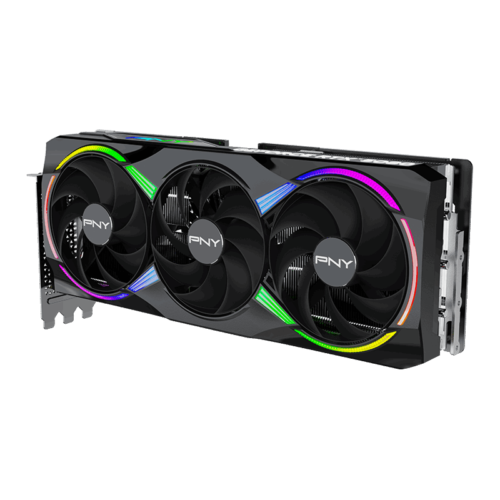
KSh 265,000.00 Ex. VAT
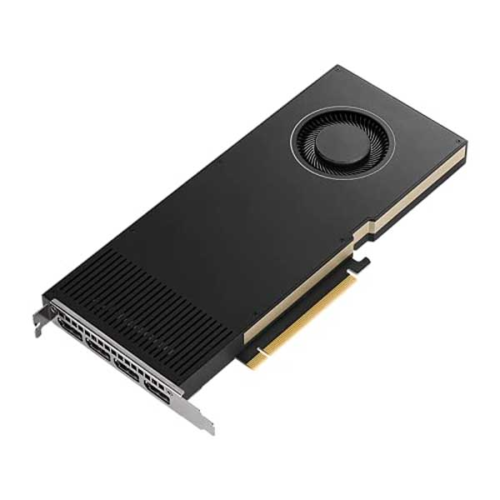
Graphics Cards
KSh 28,000.00 Ex. VAT
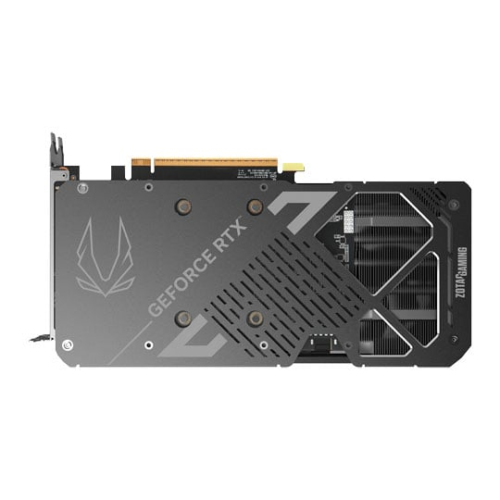
KSh 110,000.00 Ex. VAT
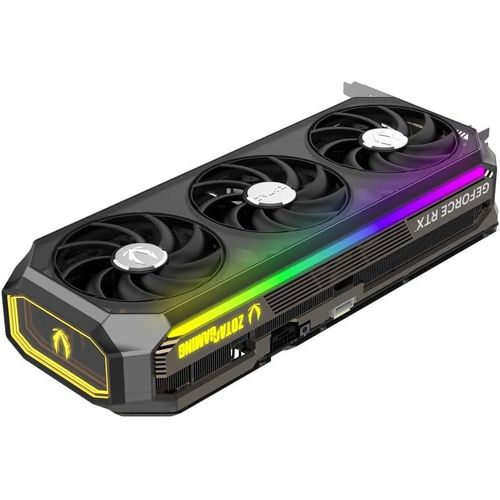
KSh 240,000.00 Ex. VAT
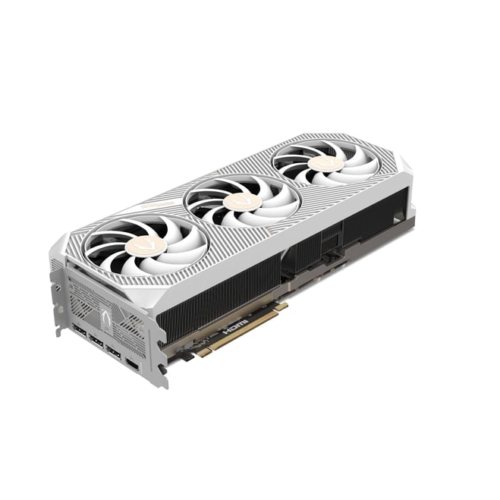
KSh 230,000.00 Ex. VAT
Graphics card price in Kenya depends on the GPU model, generation, VRAM capacity, memory type, cooling system and intended performance level. Entry-level cards are generally suited to basic display and everyday computing, while higher-performance GPUs are designed for modern gaming, video editing, 3D rendering and other graphics-intensive workloads.At Zemaro Tech Store, available listings include entry-level AFOX GeForce GT 710 graphics cards, NVIDIA GeForce RTX gaming GPUs and professional workstation graphics cards. Product availability and displayed prices may change, so check each product page for the latest information.Graphics Card Prices in Kenya
Types of Graphics Cards Available
- Entry-Level Graphics Cards
- Office and business desktop computers.
- Everyday computing and multimedia playback.
- Basic multi-monitor display setups, where supported.
- Older desktop PCs that need a compatible graphics upgrade.
- NVIDIA GeForce RTX Graphics Cards
- PC gaming at different resolutions and quality settings.
- Video editing and content creation.
- 3D modelling and rendering.
- Graphics design and visual production.
- Supported AI-accelerated applications.
- Professional Workstation Graphics Cards
- AMD Radeon Graphics Cards
Both NVIDIA GeForce and AMD Radeon offer GPUs for gaming and creative applications. The best choice depends on the specific models being compared and the software you use.NVIDIA GeForce vs AMD Radeon Graphics Cards
| Comparison factor | NVIDIA GeForce | AMD Radeon |
| Gaming | Offers GPUs across different gaming performance levels | Offers GPUs across different gaming performance levels |
| Upscaling technologies | Supported models include DLSS | Supported models include FSR |
| Ray tracing | Available on supported RTX models | Available on supported Radeon models |
| Creative applications | CUDA and other supported acceleration technologies are available on compatible GPUs | Supported applications use AMD GPU technologies and software frameworks |
| Buying considerations | Compare VRAM, performance, software support and price | Compare VRAM, performance, software support and price |
Before buying a graphics card, understand the specifications that influence performance, compatibility and usability.Key Graphics Card Specifications to Compare
| Technical specification | What it means | What to check |
| GPU model and architecture | The graphics processor and its generation | Model number, architecture and application performance |
| VRAM | Dedicated video memory used for graphics data | Capacity and memory type |
| Memory interface | Connection between the GPU and its video memory | Bus width and memory bandwidth |
| PCI Express interface | Connection to the motherboard | Card interface and motherboard compatibility |
| Power consumption | Electrical power required by the GPU | Manufacturer's recommended PSU and GPU power connectors |
| Cooling design | How the card manages heat | Fan arrangement, heatsink and case airflow |
| Physical dimensions | Space required inside the desktop case | Card length, height, thickness and available clearance |
| Display outputs | Connections for monitors | HDMI, DisplayPort or other supported outputs |
Video RAM (VRAM) stores graphics data such as textures, frame buffers and other visual assets. The amount you need depends on resolution, software, project complexity and graphics settings.How Much VRAM Do You Need?
- 2GB–4GB: May suit basic display applications, older systems and selected entry-level workloads.
- 8GB: Can suit many 1080p gaming and general creative workloads, depending on the application and settings.
- 12GB–16GB: Offers additional memory capacity for demanding games, higher-resolution work and selected creative applications.
- More than 16GB: Can benefit certain high-resolution, professional rendering, simulation and AI workloads.
How to Choose the Right Graphics Card for Your PC
- Identify Your Main Use
- Everyday computing: Choose a compatible entry-level GPU if your desktop requires dedicated graphics or additional display outputs.
- 1080p gaming: Compare gaming benchmarks, VRAM, supported features and the performance requirements of your preferred games.
- 1440p and 4K gaming: Consider higher-performance GPUs with sufficient memory and processing capacity.
- Video editing: Check the GPU acceleration supported by your editing software, along with VRAM and encoding capabilities.
- 3D design and rendering: Review application-specific GPU requirements, memory capacity and professional software compatibility.
- AI and machine learning: Check software framework support, GPU memory capacity and compatibility with the applications you intend to run.
- Check Your Power Supply Unit (PSU)
- Your PSU's rated wattage and overall quality.
- The graphics card manufacturer's recommended PSU capacity.
- Required PCIe 6-pin, 8-pin or 12VHPWR/12V-2x6 power connectors, as applicable.
- Whether your PSU has the required native connectors.
- The power requirements of your CPU and other PC components.
- Confirm Motherboard Compatibility
- Check Graphics Card Dimensions
- Maximum supported graphics card length.
- Available expansion slot thickness.
- Clearance around CPU coolers and other components.
- Space for GPU power cables.
- Airflow around the graphics card.
- Review Warranty and Product Authenticity
Graphics Cards for Different Applications
| Application | What to prioritise |
| Home and office computing | Compatibility, display outputs and power efficiency |
| PC gaming | Game benchmarks, GPU performance, VRAM and resolution |
| Video editing | Supported acceleration, VRAM and video encoding features |
| Graphic design | Application compatibility and display support |
| CAD and engineering | Certified or supported workstation configurations where required |
| 3D rendering | GPU compute performance, VRAM and software compatibility |
| AI workloads | Supported frameworks, GPU architecture and available VRAM |
| Multi-monitor workstations | Number and type of display outputs and supported resolutions |
You can explore graphics cards at Zemaro Tech Store and compare available models for desktop upgrades, gaming PCs and professional workstations.Our online category allows you to review listed graphics cards, check product specifications and compare available options before selecting a GPU. Customers shopping for a graphics card in Nairobi or elsewhere in Kenya should confirm the exact model, stock status, warranty terms and compatibility before ordering.For a complete computer upgrade, you may also need to consider your processor, motherboard, power supply, desktop case, memory and storage.Where to Buy Graphics Cards in Kenya
Frequently Asked Questions
Where can I buy graphics cards in Kenya?You can browse graphics cards at Zemaro Tech Store. Review the available product listings, compare specifications and check the current availability of the GPU you need.
What is the price of a graphics card in Kenya?Graphics card prices vary depending on the GPU model, generation, VRAM, performance and intended application. Entry-level display cards generally cost less than high-performance gaming and workstation GPUs. Check the current product listings for displayed prices.
Which graphics card is best for gaming?The best gaming graphics card depends on your budget, preferred games, monitor resolution and target frame rate. Compare benchmarks for the exact games you play rather than choosing based on the GPU model name alone.
Is an NVIDIA RTX graphics card good for video editing?Many NVIDIA RTX graphics cards support GPU-accelerated features in compatible video editing applications. Check the software's supported hardware, VRAM requirements and encoding capabilities before selecting a model.
How much VRAM is enough for gaming?The amount of VRAM required depends on the game, resolution, texture settings and other graphics features. An 8GB card can suit many 1080p gaming scenarios, while demanding games and higher resolutions may benefit from more memory.
Can I install a graphics card in any desktop computer?No. You must check motherboard expansion slot compatibility, case dimensions, PSU capacity, power connectors and system requirements. Older or compact desktops may not support every graphics card.
Do graphics cards need a separate power supply?A graphics card receives power through the motherboard and, depending on the model, may also require dedicated power connectors from the PSU. Check the exact manufacturer's requirements before installation.
What is the difference between a gaming GPU and a workstation GPU?Gaming GPUs are primarily designed for gaming and general graphics workloads. Workstation GPUs may offer features and software support intended for professional applications such as CAD, technical visualisation and selected engineering workflows. Choose according to your software requirements.
What is the difference between NVIDIA GeForce and NVIDIA RTX workstation cards?GeForce cards are primarily positioned for consumer gaming and creative applications, while NVIDIA's professional RTX workstation range targets professional visualisation and supported workstation workflows. The best choice depends on application requirements and budget.
How can I check whether a graphics card is genuine?Check the product model, serial number, packaging and documentation. After installation, GPU-Z can help inspect the detected GPU and memory specifications. Compare the information with the manufacturer's official specifications and confirm the retailer's warranty terms.
Shop Graphics Cards at Zemaro Tech StoreFind a suitable graphics card for your desktop computer, gaming setup or professional workstation at Zemaro Tech Store. Explore available GPUs, compare technical specifications and select a model that matches your performance requirements, system compatibility and budget.Browse our graphics card listings and related computer accessories to plan your next PC upgrade.