

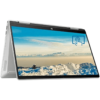
HP Pavilion x360 14-eo1039nia Core i7(1355U) 16GB RAM 512GB SSD 14” Touchscreen Windows 11 Home

KSh 142,000.00
HP Pavilion x360 14-eo1039nia Core i7(1355U) 16GB RAM 512GB SSD 14” Touchscreen
- Processor: Intel Core i7-1355U (10 cores, up to 5.0 GHz)
- Memory: 16GB DDR4-3200 (onboard)
- Storage: 512GB PCIe NVMe SSD
- Display: 14” Full HD (1920 x 1080) touchscreen
- Graphics: Intel Iris Xe Graphics
- Operating System: Windows 11 Home
- Keyboard: Full-size backlit
- Camera: HP True Vision 720p HD with dual microphones
- Audio: Dual speakers with B&O tuning
- Wireless: Wi-Fi 6E, Bluetooth 5.3
HP Pavilion x360 14-eo1039nia Core i7(1355U) 16GB RAM 512GB SSD 14” Touchscreen Windows 11 Home
HP Pavilion x360 14-eo1039nia is part of the latest HP laptops built to handle daily tasks with speed and ease. With a 13th Gen Intel Core i7 processor and 16GB RAM, this laptop is ready for demanding work, multitasking, and entertainment.
It features a 14-inch Full HD touchscreen that folds back for tablet use. Whether you’re typing, watching, or sketching, this laptop gives you flexibility. The 512GB SSD offers fast startup, quick file access, and plenty of storage. It’s a great option for students, remote workers, or anyone looking for the latest laptops and computers at reliable prices in Kenya.
Key Features
- 13th Gen Intel Core i7-1355U – Fast performance for demanding tasks.
- 16GB RAM – Handles many open apps at once without slowing down.
- 512GB SSD – Loads files and programs quickly with enough space.
- 14” Full HD Touchscreen – Foldable design that works in multiple positions.
- Windows 11 Home – Comes with the latest Windows features and updates.
- Backlit Keyboard – Type easily in low-light rooms.
- Wi-Fi 6E + Bluetooth 5.3 – Fast and stable wireless connection.
- Slim and Lightweight – Easy to carry in your backpack or bag.
Specifications
- Model: HP Pavilion x360 14-eo1039nia
- Processor: Intel Core i7-1355U (10 cores, up to 5.0 GHz)
- Memory: 16GB DDR4-3200 (onboard)
- Storage: 512GB PCIe NVMe SSD
- Display: 14” Full HD (1920 x 1080) touchscreen
- Graphics: Intel Iris Xe Graphics
- Operating System: Windows 11 Home
- Keyboard: Full-size backlit
- Camera: HP True Vision 720p HD with dual microphones
- Audio: Dual speakers with B&O tuning
- Wireless: Wi-Fi 6E, Bluetooth 5.3
- Ports:
- 2 x USB-A
- 1 x USB-C
- 1 x HDMI 2.1
- 1 x Headphone/microphone combo
- 1 x AC Smart Pin
- Battery: 3-cell, 43Wh
- Weight: Approx. 1.51 kg
- Color: Natural Silver
- Warranty: 1 Year
Package Contents
- HP Pavilion x360 14-eo1039nia Laptop
- HP Power Adapter
- User Manual
Common Uses
- Office Work – Create reports, attend virtual meetings, and handle multiple apps at once.
- Students – Take notes, browse, write assignments, and attend online classes.
- Home Entertainment – Watch movies, browse, or enjoy YouTube and music.
- Creative Use – Use the touchscreen for sketching, light editing, and presenting.
Be the first to review “HP Pavilion x360 14-eo1039nia Core i7(1355U) 16GB RAM 512GB SSD 14” Touchscreen Windows 11 Home”
Related products


HP Laptops
HP Victus Gaming 15-fa2701WM Core i5-13420H 16GB 512GB SSD NVIDIA GeForce RTX 4050 6GB 15.6″ Win11



Reviews
There are no reviews yet.