
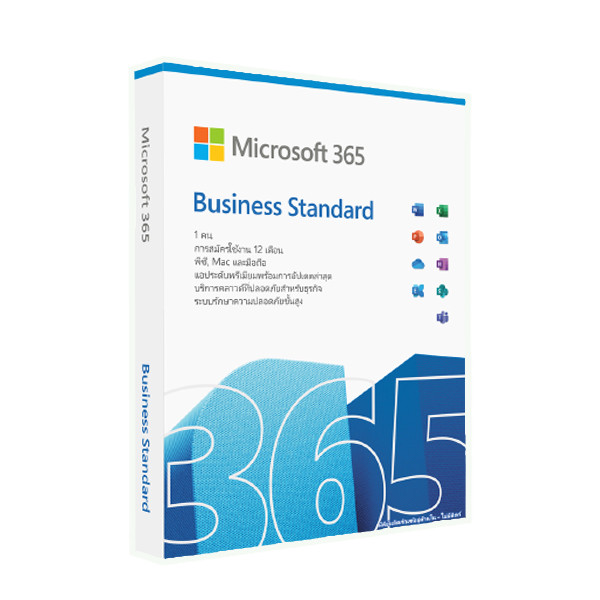

Microsoft Office 365 Business Standard 1 Year – 1 User – KLQ-00216
Microsoft Office 365 Business Standard 1 Year – 1 User (KLQ-00216) is a comprehensive business productivity subscription that provides one user with access to Microsoft 365 desktop, web, and mobile applications for a 12-month period. The plan includes essential applications such as Word, Excel, PowerPoint, Outlook, OneNote, and Microsoft Teams, together with 1 TB of OneDrive cloud storage, professional business email with a 50 GB mailbox, collaboration tools, and additional business applications including Planner, Forms, Bookings, Lists, Loop, and Clipchamp. Each licensed user can install the Microsoft 365 desktop applications on up to five PCs or Macs, five tablets, and five mobile devices, providing flexibility for working across multiple devices. Microsoft 365 Business Standard is designed for small and medium-sized businesses, professionals, organizations, and teams that need professional productivity software, cloud storage, communication, and collaboration tools in one subscription.
Product Features
Microsoft Word
Create, edit, format, and collaborate on professional documents using the latest desktop, web, and mobile versions of Microsoft Word. Word provides tools for reports, proposals, letters, business documents, and other professional content.
Microsoft Excel
Analyze data, create spreadsheets, build calculations, and present information using Microsoft Excel. The desktop, web, and mobile versions allow users to work with business data across supported devices.
Microsoft PowerPoint
Create professional presentations using Microsoft PowerPoint. Users can design presentations, add multimedia content, collaborate with colleagues, and present information for meetings, training, sales, and business projects.
Microsoft Outlook
Manage professional email, calendars, contacts, and tasks with Microsoft Outlook. Business Standard includes Exchange Online business email with a 50 GB mailbox and support for a custom business email domain.
Microsoft Teams
Communicate and collaborate with colleagues using Microsoft Teams. The plan supports chat, online meetings, calls, screen sharing, and webinars, helping businesses coordinate projects and communicate remotely.
1 TB OneDrive Cloud Storage
Each licensed user receives 1 TB of OneDrive cloud storage for storing, synchronizing, accessing, and sharing business files across supported devices.
Professional Business Email
Microsoft 365 Business Standard provides business-class email through Exchange Online, including a 50 GB mailbox and support for a custom business email address such as name@yourcompany.com.
Microsoft OneNote
Capture notes, organize information, create notebooks, and collaborate with colleagues using Microsoft OneNote across supported desktop, web, and mobile devices.
Microsoft SharePoint
SharePoint provides cloud-based tools for document management, collaboration, team sites, and sharing organizational information, helping businesses centralize files and resources.
Microsoft Planner
Plan projects, organize tasks, assign responsibilities, and monitor progress using Microsoft Planner. It is designed to help teams coordinate work and manage projects.
Microsoft Forms
Create surveys, questionnaires, polls, and forms to collect information and feedback from employees, customers, students, or other audiences.
Microsoft Bookings
Manage appointments and scheduling with Microsoft Bookings. Businesses can provide customers with convenient ways to schedule services and meetings.
Microsoft Loop
Microsoft Loop provides collaborative workspaces and components that help teams organize ideas, projects, tasks, and shared content in a flexible digital workspace.
Microsoft Clipchamp
Clipchamp provides video creation and editing tools that can be used to produce professional videos for presentations, training, marketing, social media, and business communication.
Cross-Device Installation
Each licensed user can install Microsoft 365 applications on up to five PCs or Macs, five tablets, and five mobile devices, allowing users to move between devices while maintaining access to their work.
Automatic Application Updates
Microsoft 365 Business Standard provides access to continuously updated versions of the included applications, delivering new features, improvements, and security updates during the subscription period.
Business Collaboration and Cloud Productivity
The combination of Microsoft 365 applications, OneDrive, Teams, SharePoint, and other business services provides a connected environment for creating documents, sharing files, communicating with colleagues, and managing everyday business activities.
Product Specifications
- Brand: Microsoft
- Product name: Microsoft Office 365 Business Standard
- Current service name: Microsoft 365 Business Standard
- Product type: Business productivity software subscription
- Part number: KLQ-00216
- License type: Subscription
- License duration: 1 year
- Subscription period: 12 months
- Licensed users: 1 user
- Device installation allowance: Up to 5 PCs or Macs, 5 tablets, and 5 mobile devices per user
- Desktop applications: Word, Excel, PowerPoint, Outlook, OneNote
- Web applications: Microsoft 365 web apps
- Mobile applications: Microsoft 365 mobile apps for supported devices
- Email service: Exchange Online
- Mailbox capacity: 50 GB per user
- Custom business email: Supported
- Cloud storage: 1 TB OneDrive storage per user
- Collaboration: Microsoft Teams
- Additional applications and services: SharePoint, Planner, Forms, Bookings, Lists, Loop, and Clipchamp
- Automatic updates: Included during active subscription
- Supported desktop platforms: Windows and macOS
- Supported mobile platforms: Android and iOS
- Windows processor requirement: 1.6 GHz or faster, 2-core processor
- Windows operating system: Windows 11 or supported Windows Server editions according to Microsoft’s current requirements
- macOS processor: Intel processor or Apple silicon on supported macOS versions
- Internet connection: Required for installation, activation, updates, and access to cloud services
- Microsoft account: Required for activation and service management
- Intended users: Small businesses, medium-sized businesses, professionals, organizations, and teams
- Recommended use: Business productivity, document creation, spreadsheets, presentations, email, cloud storage, meetings, collaboration, and project management
- Delivery format: Digital license or product key, depending on seller
- Activation: Requires a valid Microsoft 365 Business Standard license and internet connection
- License assignment: One licensed user
- Subscription renewal: Renewal terms depend on the license and seller; verify the supplied license terms before purchase
- Regional availability: Some applications, features, Microsoft Teams availability, and service terms may vary by country or region
Be the first to review “Microsoft Office 365 Business Standard 1 Year – 1 User – KLQ-00216”
Related products



Reviews
There are no reviews yet.